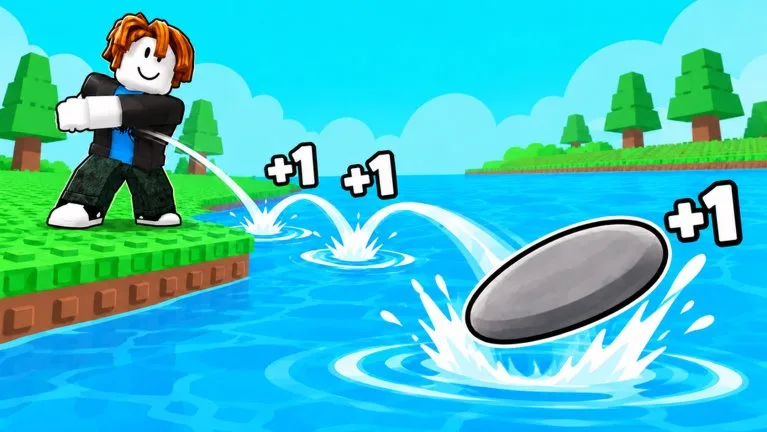
The loop you are actually playing
+1 Stone Skipping, by Meow Labs, is a throw-and-train simulator. A September 30 gameplay guide calls the throwable a disk-shaped stone. The official description says every bounce gives +1 Skill, training and levels help you throw farther, farther zones give more Wins, and you can unlock better stones and unusual objects, including a donut. Pets add boosts. Rebirth is the reset that is meant to make later throws stronger.
The bottom HUD shows Skill, Level with a progress bar, Wins, and Friend Boost. Those numbers do different jobs. Skill tracks bounce gains. Level tracks training progress and the rebirth requirement. Wins come from landing farther along the water lane.
Controls and the first throws
A September 30 gameplay guide lists keyboard controls as W, A, S, and D to move, Space to jump, and E to interact. Throwing uses the on-screen Throw button at the main river. A September 30 play session also reported that there is no power-timing bar on the throw. Mobile layouts can differ, so use the buttons on your screen.
Make three throws with the stone you already have. Note the bounce count, the Skill change, the distance readout in meters, and the zone name. That set is your baseline. Do not buy the first Shop card you see before you have that baseline.
Follow the tutorial before you spend
Training happens at the smaller water areas and on Skill pads. Some opening sessions show a banner that says Reach Level 20. Two play sessions instead talked through a prompt to reach about 30 Skill and then earn 2 Wins. Use the banner on your screen. If Skill rises but the Level bar does not, go back to the training prompt instead of shopping.
A useful first session looks like this:
- Throw three times and write down distance, Skill gain, and the farthest zone.
- Follow the tutorial or stand on an unlocked Skill pad until the Level bar moves.
- Throw three more times with the same stone, pets, and boosts.
- Open Stones and My Pets. Equip something you already own if it is clearly better.
- Only then compare an affordable stone or egg with the Wins you just earned.
Change one thing at a time. If you equip a stone, hatch a pet, turn on a boost, and rebirth together, you will not know which change moved the zone.
What you can ignore at the start
The basic loop does not require a Robux purchase. Shop can show gamepasses, a Starter Pack, premium Skill zones, egg offers, and Wins packs. Those are optional. The code field, when it is present, sits at the bottom of Shop and is not a purchase.
Another player's floating Skill number is a poor target. Pads, pets, Friend Boost, and paid Skill zones can all raise what you see above them.